SOL Studio Audio
SOL-16
Dual Opto Compressor
Shape the dynamics.
Keep the character.
Two optical compressor characters for vocals, guitars, bass, keyboards, and buses. Use 2A or 1B on its own, connect them in series, or blend their parallel outputs to find the response your music needs.
Version 1.0.20 · Windows VST3 / AAX · macOS AU / VST3 / AAX
Two ways to move with the music
Choose the character.
Then shape the response.
Start with smooth optical levelling or take more control over the timing. Each model has its own panel, controls, and meter.
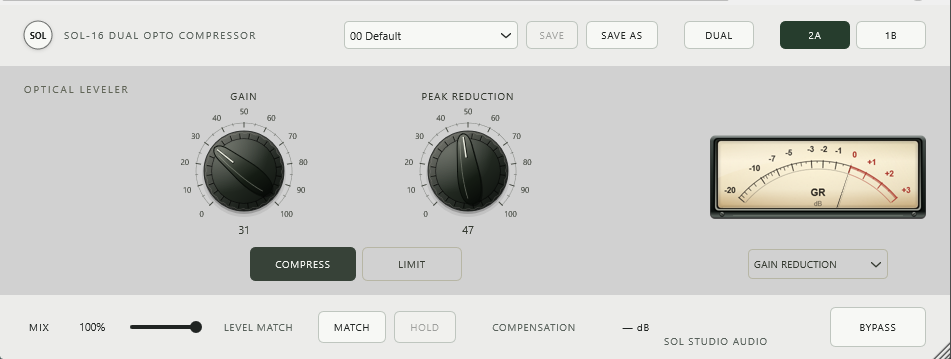
2A
Smooth, program-dependent levelling
Set the compression with PEAK REDUCTION, then adjust GAIN for the output level you want. COMPRESS and LIMIT offer two responses, from gentle levelling to firmer control.
COMPRESS / LIMIT
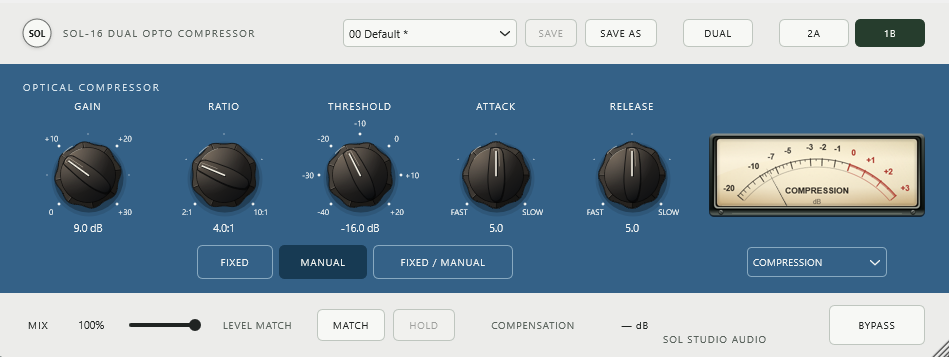
1B
Flexible optical compression
Adjust threshold, ratio, attack, and release to suit the performance. Choose Fixed, Manual, or Fixed / Manual timing to control how the compressor catches transients and recovers between phrases.
ATTACK · RELEASE
One model, or both
Two stages.
More ways to shape a sound.
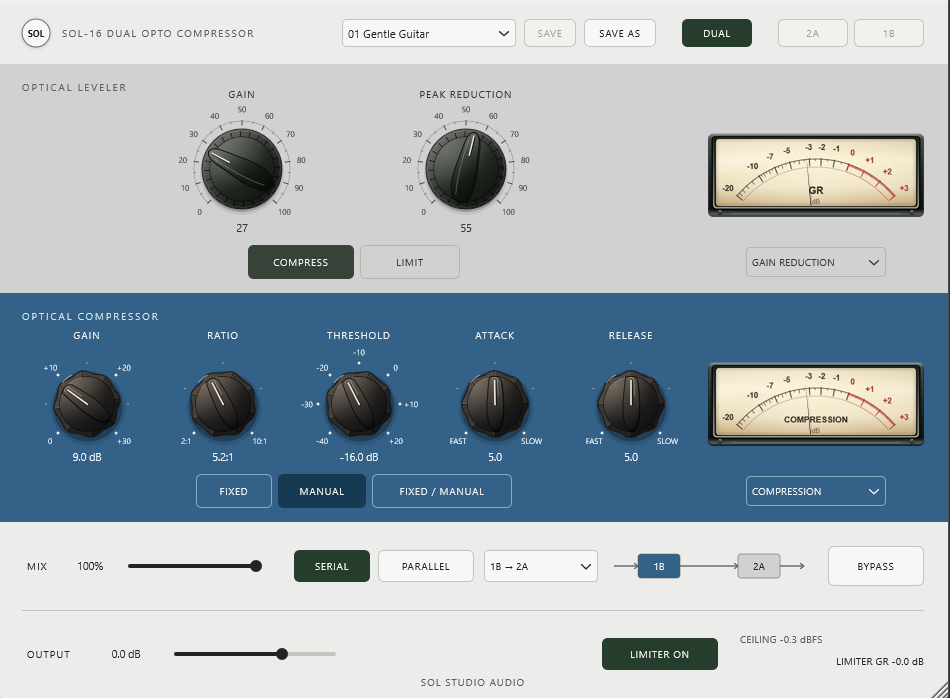
Keep DUAL off to work with a single model. Turn it on to connect both compressors in series or combine their separate outputs in parallel.
Serial
Let one compressor shape the signal before it reaches the next. Choose either processing order and explore how each stage responds to the level and dynamics coming from the other.
Parallel
Send the same input to both models, then blend their processed outputs. Balance the 2A character against the 1B response while each compressor works independently.
Signal-flow illustrations · DUAL MIX blends the complete selected route with the dry input. The single-model MIX settings are retained separately.
Listen to the dynamics
Set the sound.
Make the comparison.
Control the amount of processing, compare at a similar average level, and keep an eye on what each compressor is doing.
Independent dry/wet settings
2A, 1B, and DUAL each retain their own MIX setting. Bring back some dry signal without losing the balance you chose in another mode.
MATCH and HOLD
In single mode, MATCH measures the input and mixed output, then applies a separate level correction. HOLD freezes that correction for a stable comparison.
A meter for each model
Watch gain reduction or choose the available input and output readings. DUAL displays both model meters, so you can follow the two stages individually.
Compatibility
Ready for your
Windows or Mac session.
Use SOL-16 on mono or stereo tracks in a compatible DAW, from individual instruments to buses.
AAX Native is included for both Windows and macOS, with support for Pro Tools.
Use an operating system supported by your DAW and Pro Tools version. AAX runs as AAX Native, not HDX DSP.
- Windows
- Windows 10 or later, 64-bit x64
VST3 and AAX Native - macOS
- Audio Units, VST3, and AAX Native
Use a macOS version supported by your DAW - Mac CPUs
- Intel and Apple Silicon
- Interface
- Resizable, with automatic small-screen scaling based on the complete DUAL view
- Version
- 1.0.20